Tutorial · 2 min read
How to make a product video ad
from a single photo.
Brands lose weeks waiting on a shoot to get one usable ad. With Loopa, a single product photo becomes a looping video ad ready for Meta, TikTok and Google in the time it takes to make a coffee. Here's how it actually works — step by step, with a real example.
Step 01
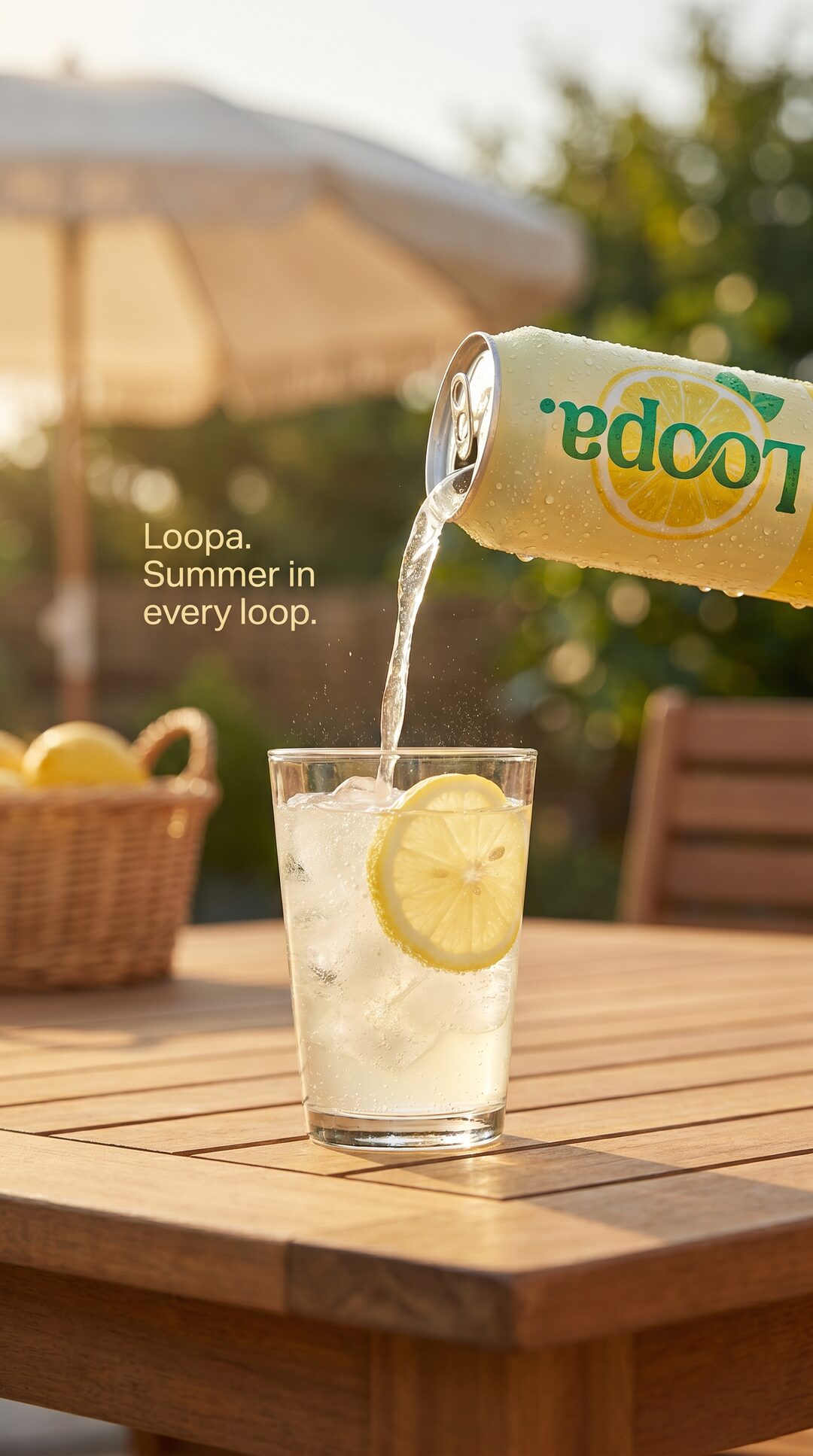
Start with one product photo.
Pick any product photo — a flat-lay, a studio shot, or an AI-generated image. The only requirement is a clear subject and an element that could plausibly move (liquid, steam, fabric, light, atmosphere). In this walkthrough we're using a 9:16 photo of a Loopa-branded lemonade can being poured into a glass.
Step 02
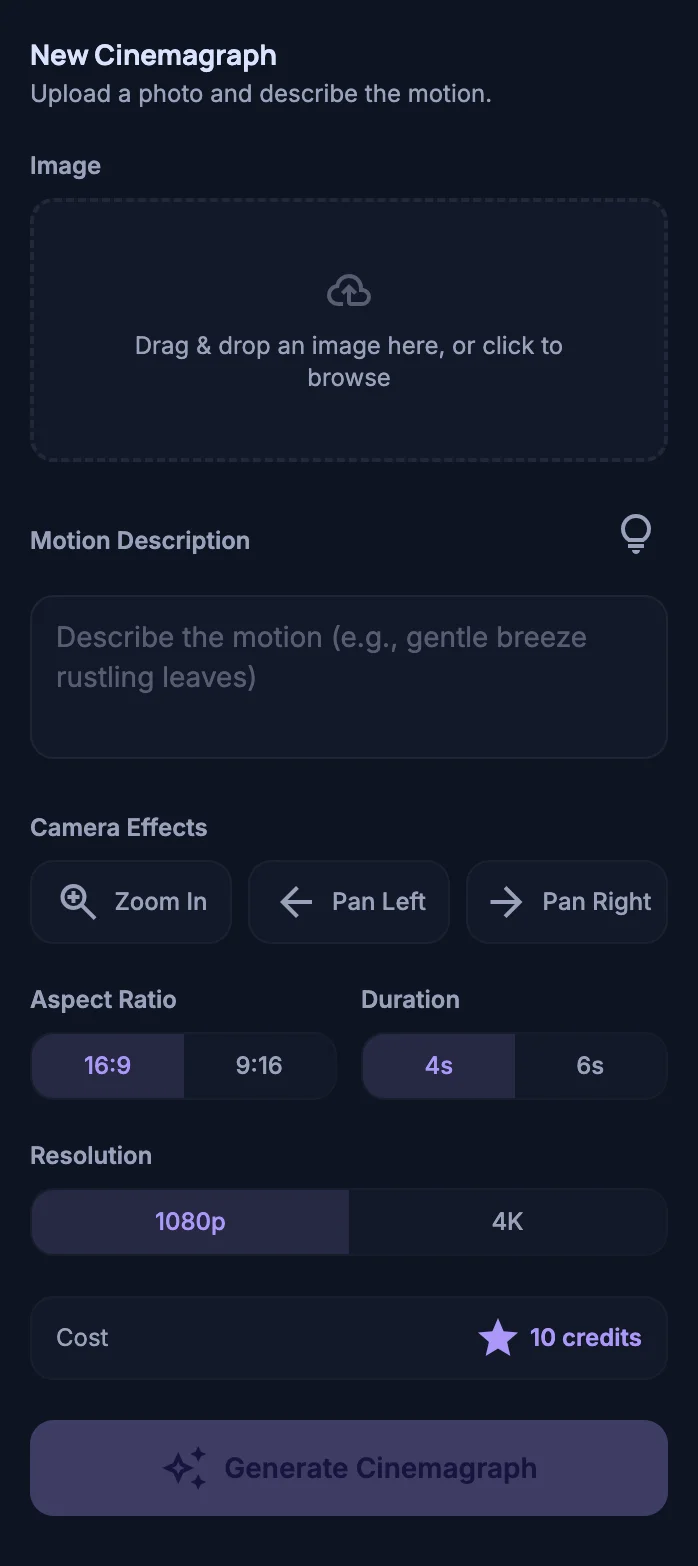
Open Loopa Studio's cinemagraph tool.
Sign in with Google at loopa.art/studio and open the Cinemagraph tool. The whole flow runs in your browser — no install, no API keys, no editor experience required. This is the empty starting state:
Step 03
Drop the image in — Loopa suggests the motion.
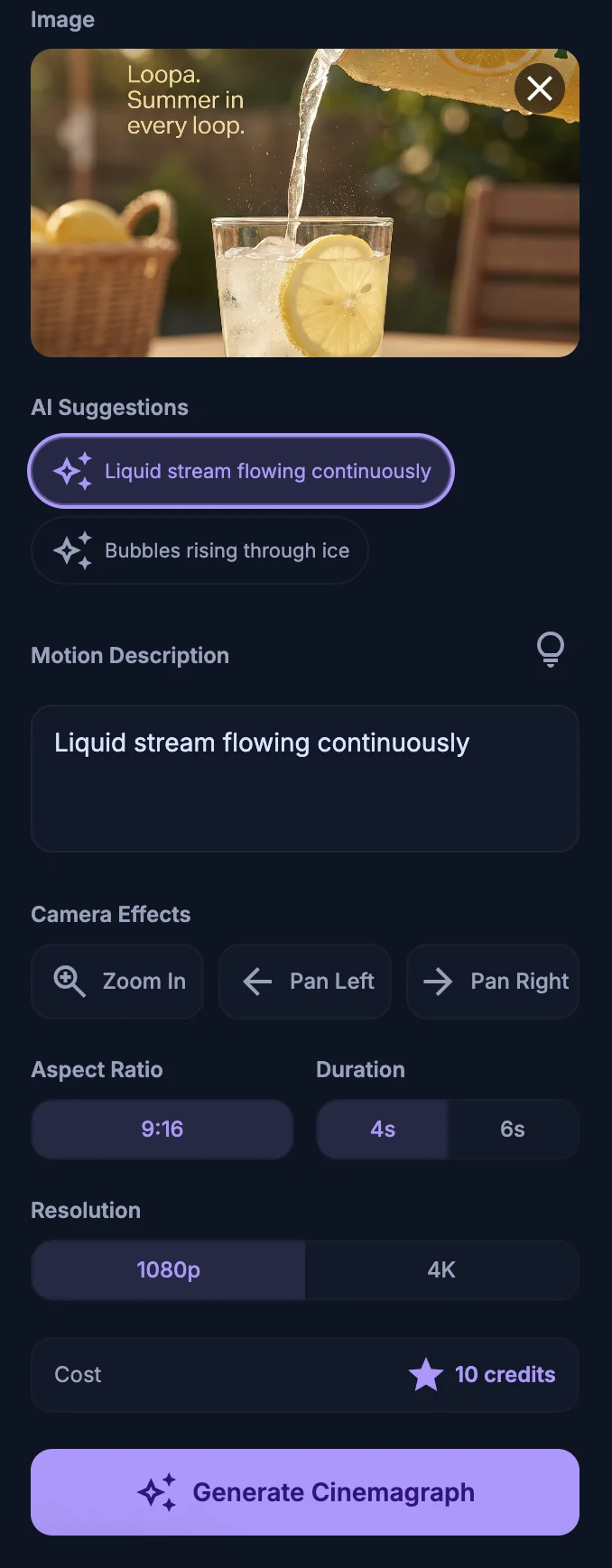
Drag the photo into the upload area. Loopa reads the image and suggests motions that fit it — for our lemonade pour, it offered “liquid stream flowing continuously” and “bubbles rising through ice”. Tap one to use it, or write your own description in the motion field.
Step 04
Pick aspect ratio, duration, and generate.
Choose 9:16 for Reels, Stories and TikTok feed. 16:9 for YouTube pre-roll and landing pages. Pick 4 or 6 seconds. Pick 1080p or 4K. Hit Generate Cinemagraph — the AI returns a seamless looping video ad in well under a minute.
The result
One photo. One product video ad.
Here's the finished loop, generated from the photo above. The can pours continuously into the glass, in a seamless cycle — ready to drop straight into Meta Ads Manager, TikTok Ads Manager or a landing-page hero. No editing, no After Effects, no shoot.
Try it with your own product photo.
Loopa Studio runs right in your browser — no install, no API keys. Sign in with Google and your first product video ad is one upload away.
Open Loopa Studioarrow_forwardFAQ
Common questions.
How long does it actually take to make a product video ad with Loopa?
expand_more
From uploading the image to downloading the finished MP4: typically under a minute on the default 1080p / 4-second setting. 4K and 6-second loops take a little longer. The example loop in this article was generated in 30 seconds.
What kind of product photos work best?
expand_more
Any photo with a clear subject and a natural element that could move — liquid being poured, steam rising, fabric in the wind, light reflections. Loopa's motion engine works best when the moving element is unambiguous in the original frame.
Can I use the result on Meta Ads, TikTok and Google video ads?
expand_more
Yes. Loopa exports MP4 files that drop directly into Meta Ads Manager, TikTok Ads Manager and Google Ads. The 9:16 export is sized for Reels, Stories and TikTok feed; 1:1 works for Meta feed; 16:9 works for YouTube and landing pages.
Do I need video editing experience?
expand_more
No. Loopa is image-to-video — you start from a still image and the AI does the motion. There's no timeline, no keyframing, no After Effects. The whole interface is one screen.