inventory_2Loopa Product Studio

AI product photography
that moves.

Upload 1–3 photos of your product. An AI art director stages a full set of 4K marketing shots and animates them into seamless looping product videos — no studio, no reshoots, no editor.

Sign in with Google · runs in your browser · one-time credit packs

Your photo
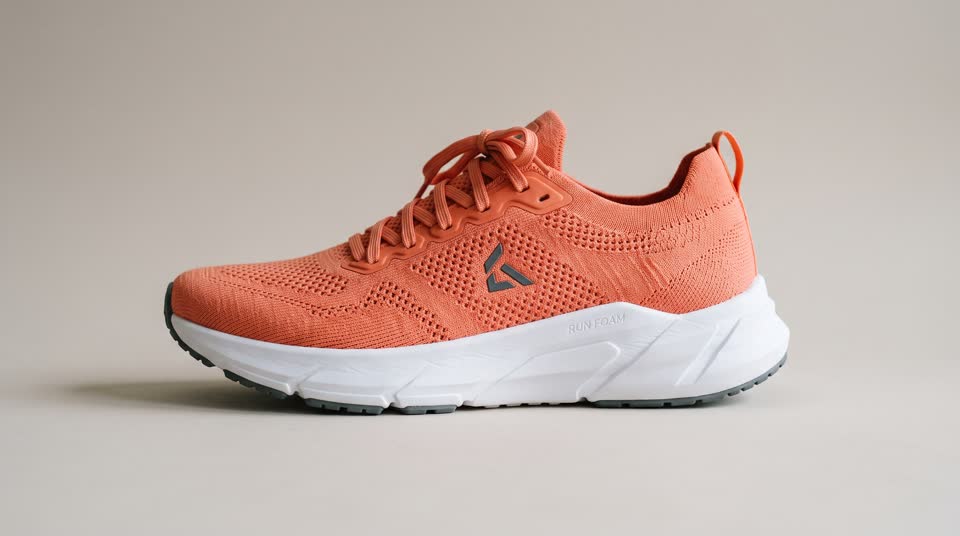
A standard studio packshot of a coral running shoe — the only input needed

1 photo in

Real inputs, real outputs

From one photo to a full product shoot.

Every clip was generated from the single photo shown beside it — and loops live as you scroll.

Case study 01 · Footwear

One studio packshot. A whole campaign in motion.

A plain e-commerce photo on a beige sweep, reshot mid-workout, at sunset, above the skyline and on the track — the shoe pin-sharp while the world behind it keeps training.

The input
The input: a standard studio packshot of a coral running shoe on a beige background
1 photo uploaded — a standard studio packshot
Trackside under stadium lights — squats looping behind the product.
On the bench mid-session while the jump rope keeps turning.
Sunset hero shot — the tide rolls in behind the shoe.
Above the city at dusk — wind in her hair, skyline glittering.

Case study 02 · Summer sandals

One cut-out. An entire Mediterranean summer.

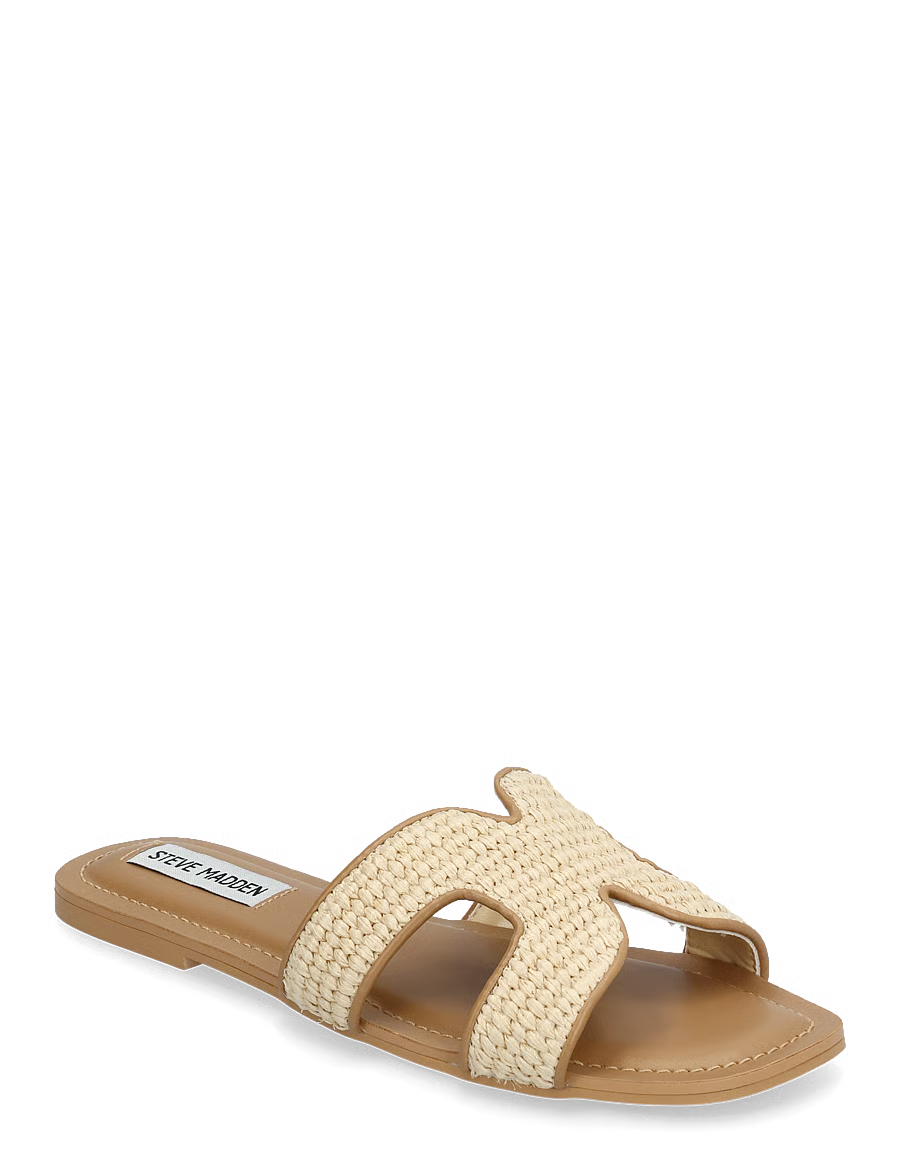
A no-background cut-out of woven slides, restaged into a full Mediterranean summer — a terracotta lane, a boardwalk, a café table and a whitewashed doorway, all at golden hour.

The input
The input: a plain no-background product photo of woven flat slide sandals
1 photo uploaded — a no-background cut-out
A linen dress drifting in the breeze on a terracotta lane.
Worn on the boardwalk while the waves lap below.
On the café table as the barista pours behind.
A whitewashed ledge, the doorway curtain billowing out to sea.

Case study 03 · Cookware

One pan. Four rooms it has never been in.

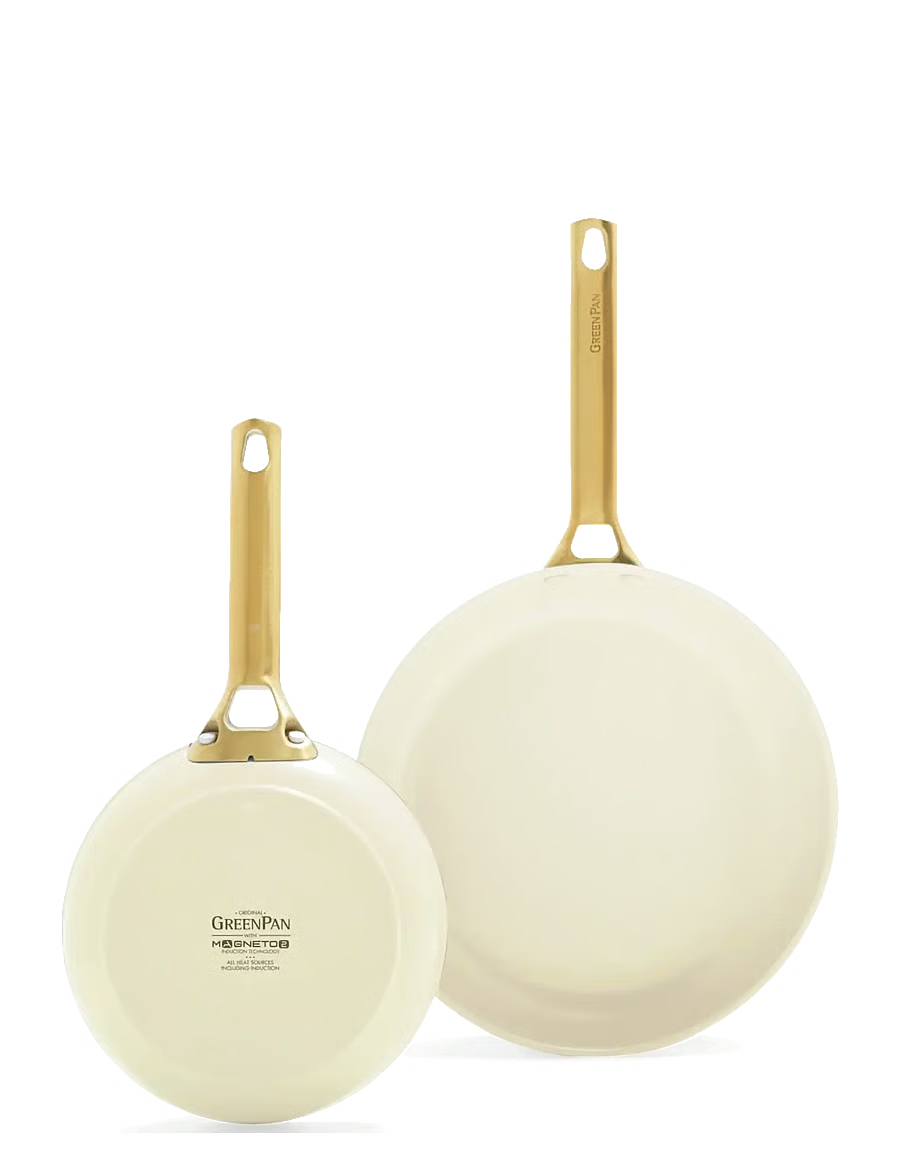
A single cut-out of a ceramic pan, staged into a coastal dinner, a quiet kitchen wall, morning prep and a live stove — each scene built around one motion that loops.

The input
The input: a plain no-background product photo of a cream ceramic frying pan
1 photo uploaded — a no-background packshot
Dusk on the coast — the sea keeps rolling behind the plated dish.
Merchandised on the wall while linen curtains breathe by the window.
Morning prep — eggs whisked behind while the pan holds the frame.
On the stove, vegetables searing, steam curling upward on loop.

1–3

photos in

5–6

art-directed shots out

4K

still resolution

4–6s

seamless video loops

What is Product Studio

A product photoshoot, without the shoot.

Product Studio is Loopa's AI product photography tool. It reads your product photos, understands what it's looking at, and art-directs a coherent set of marketing shots — hero angles, lifestyle scenes, quiet details — rendered in 4K with Google's latest image models. Because every shot is staged around one loopable motion, any still becomes a seamless looping product video with a click, powered by Veo. Photography and video, from the same single upload.
How it works

How to make AI product photos and videos.

Four steps from a phone photo to a campaign — no camera, no set, no editing timeline.

  1. add_a_photo1

    Upload 1–3 product photos

    Phone photos on a table, a standard e-commerce packshot or a no-background cut-out all work. Add up to three angles of the same product — the more it sees, the more faithful the render — and optionally describe the vibe you're after.

  2. palette2

    An AI art director plans your shoot

    Product Studio studies your product — shape, material, colour, category — and designs 5 or 6 distinct scenes around it: hero shots, lifestyle scenes with models, quiet detail moods. Every scene is staged around one loopable motion, like rising steam, rolling waves or a swaying curtain.

  3. photo_library3

    Review your 4K marketing shots

    The full set of 4K stills lands in minutes. Regenerate or edit any single shot until the set feels like your brand — each fresh take is 4 credits, so you refine one frame, not the whole shoot.

  4. animation4

    Animate the keepers into looping video

    One click turns a still into a seamless 4- or 6-second product cinemagraph in 1080p or 4K — the product stays perfectly still while the scene lives around it. Edit the motion words and re-animate, then download stills and MP4s, ready for ads, product pages and social.

Why Loopa

Built like a studio, not a template.

palette

An art director, not a filter

Most AI product photo tools drop your packshot onto a template background. Loopa plans a shoot: scene, set, propping, lighting and camera angle are designed per product, so the six shots feel like one campaign, not six random pictures.

verified

Your actual product, kept faithful

Upload up to three angles and the studio locks onto your product's true shape, material and branding — so the shoe in the shot is your shoe, not a lookalike.

animation

Motion is part of the brief

Every still is composed around one loopable element — steam, tide, a turning rope, a breathing curtain. That's what makes the animation feel engineered rather than bolted on.

4k

Campaign-grade output

4K stills for product pages, marketplaces and print-ish moments; seamless MP4 loops in 1080p or 4K for ads and social. Both download straight from the browser.

crop_portrait

Landscape and portrait, by design

Choose 16:9 for product pages, YouTube and banners or 9:16 for Reels, TikTok and Stories. Shots are composed for the format — not cropped into it after the fact.

tune

You stay in the director's chair

Rewrite the motion words and re-animate a shot, regenerate a single frame, or add direction like 'moodier' or 'more summer'. You approve every frame before it goes anywhere.

What every set ships with

Campaign-ready specs, automatically.

photo

4K stills

Every shot renders as a 4K still you can use on its own.

movie

1080p & 4K MP4 loops

Animated shots export as clean MP4 video, ready for ad platforms.

all_inclusive

Seamless 4–6s loops

Motion is tuned to cycle endlessly with no visible jump.

crop_16_9

16:9 and 9:16

Composed for the format you pick — feed, page or vertical.

stacks

5–6 shots per set

A coherent mini-campaign per run, not one guess.

person

Lifestyle models

Scenes can feature models — always adults, never children.

Where the shots go to work

One set, every channel.

The same run gives you stills for the store and loops for the feed — a consistent look across everywhere your product shows up.

storefront

Product pages

A living hero image lifts Shopify and WooCommerce PDPs.

ads_click

Meta & TikTok ads

Looping motion that survives the scroll — without a film crew.

movie_filter

Reels & Stories

9:16 vertical shots composed for full-screen social.

shopping_bag

Marketplaces

Clean 4K lifestyle stills for Amazon listings and A+ content.

mail

Email & landing pages

Subtle motion headers that make campaigns feel premium.

campaign

Launches & lookbooks

A full set in one style — enough to art-direct a whole drop.

Pricing

A six-shot product shoot for about $4.30 of credits.

Loopa runs on one-time credit packs — no subscription, no seats. Credits are shared across every tool in the studio and stay valid for 12 months.

20–24

credits per set of 5–6 shots

Every shot a 4K still · 4 credits each

10–15

credits to animate a shot

Seamless 4s or 6s looping 1080p video

$17.99

for the 100-credit starter pack

One-time purchase · bigger packs cost less per credit

Product Studio FAQ

AI product photography, answered.

What is Loopa's Product Studio?

expand_more

Product Studio is Loopa's AI product photography and product video tool. You upload 1–3 photos of your product, and an AI art director designs a set of 5–6 marketing shots around it — 4K stills staged in real-feeling scenes. Any shot can then be animated into a seamless looping product video. It runs entirely in the browser at loopa.art/studio — no install and no editing skills needed.

How does AI product photography work in Loopa?

expand_more

The studio first studies your photos to understand the product's shape, materials, colours and branding. It then plans a shoot — scenes, camera angles, propping and lighting — and renders each planned shot as a 4K still with Google's latest image models. Every shot is deliberately composed around one loopable motion (steam, waves, a swaying curtain), so when you animate it with Veo, the result loops seamlessly with the product held perfectly sharp.

What photos do I need to start?

expand_more

One to three clear photos of the same product. Phone photos work, standard e-commerce packshots work, and no-background cut-outs work especially well. Different angles help the AI stay faithful to the real product. You can also add a short description of what the product is, who it's for and the mood you want.

Can the shots include people or models?

expand_more

Yes — lifestyle scenes can feature a model using or wearing the product, like the running-shoe and sandal examples on this page. Models are always adults: Google Veo cannot generate or animate children, and may decline young-looking adults.

What formats and sizes do I get?

expand_more

Stills render in 4K, in your choice of 16:9 landscape or 9:16 portrait. Animated shots export as seamless 4- or 6-second MP4 loops in 1080p or 4K, in the same aspect ratio. Both stills and videos download directly from the studio.

How much does Product Studio cost?

expand_more

Loopa runs on one-time credit packs — no subscription. Each 4K shot costs 4 credits, so a set of five is 20 credits and a set of six is 24 (about $4.30 of credits on the smallest pack). Animating a shot into a looping video costs 10 credits for 4 seconds or 15 for 6 seconds in 1080p, or 25 and 38 credits in 4K. Packs start at $17.99 for 100 credits, are shared across every Loopa tool and stay valid for 12 months.

Is it good for Amazon, Shopify and e-commerce ads?

expand_more

That's exactly what it's built for. The 4K stills drop into product pages, Amazon listings and A+ content, while the looping MP4s are made for Meta, TikTok and YouTube ad placements where motion stops the scroll. Pick 9:16 for vertical placements like Reels, Stories and TikTok, or 16:9 for feeds, banners and landing pages.

How is this different from a video ad creator?

expand_more

A video ad creator animates a photo you already have — you bring the shot, it adds motion. Product Studio works one step earlier: it creates the shoot itself from your plain product photo — new scenes, sets, lighting and models — and then animates the shots you pick. If you already have a great photo, Loopa's cinemagraph tool and video ad creator will animate it directly; the two workflows share the same credits.

Your product deserves
a better shoot.

Upload the photos you already have and walk out with a 4K campaign that moves — stills for the store, loops for the feed. Sign in with Google and shoot your first set in minutes.